A Taiwanese IME for macOS.
Type at the speed you think.
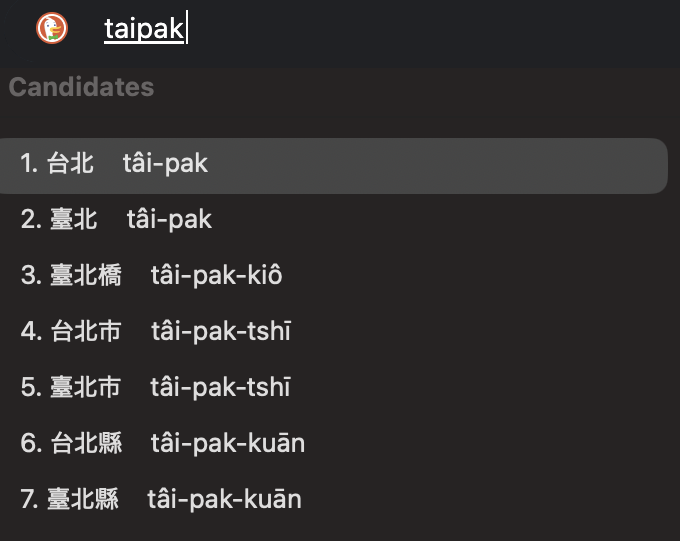
Candidates appear instantly as you type.
Select with ↑↓、Confirm with Space/Enter。
What You Can Do
Instant candidates (even with ambiguous input)
Designed to show candidates despite spelling variations or ambiguous input, without interrupting your typing flow.
Satisfying confirmation
Select candidates with ↑↓ and confirm with Space/Enter—similar to familiar IME behavior.
Safe for external distribution
Distribution package signed with Developer ID, Notarized, and stapled.
Supports both TL (Tailo) and POJ (Pe̍h-ōe-jī)
Taigi IME
TL (Tailo)
/
POJ (Pe̍h-ōe-jī)
supports both input methods.
Even very rough input is designed to yield “close enough” candidates.
Robust to spelling variations
The same word may be written in different ways; these variations are absorbed to produce candidates.
Mixing is OK
You can mix TL and POJ without stopping your typing.
Findable even with rough typing
When speed matters more than accuracy, you can refine results via candidates.
*Actual candidates vary by dictionary, learning state, and input, but “ease of finding” is the top design priority.
Install (1 minute)
- Download:Download: Download and extract Installer.zip
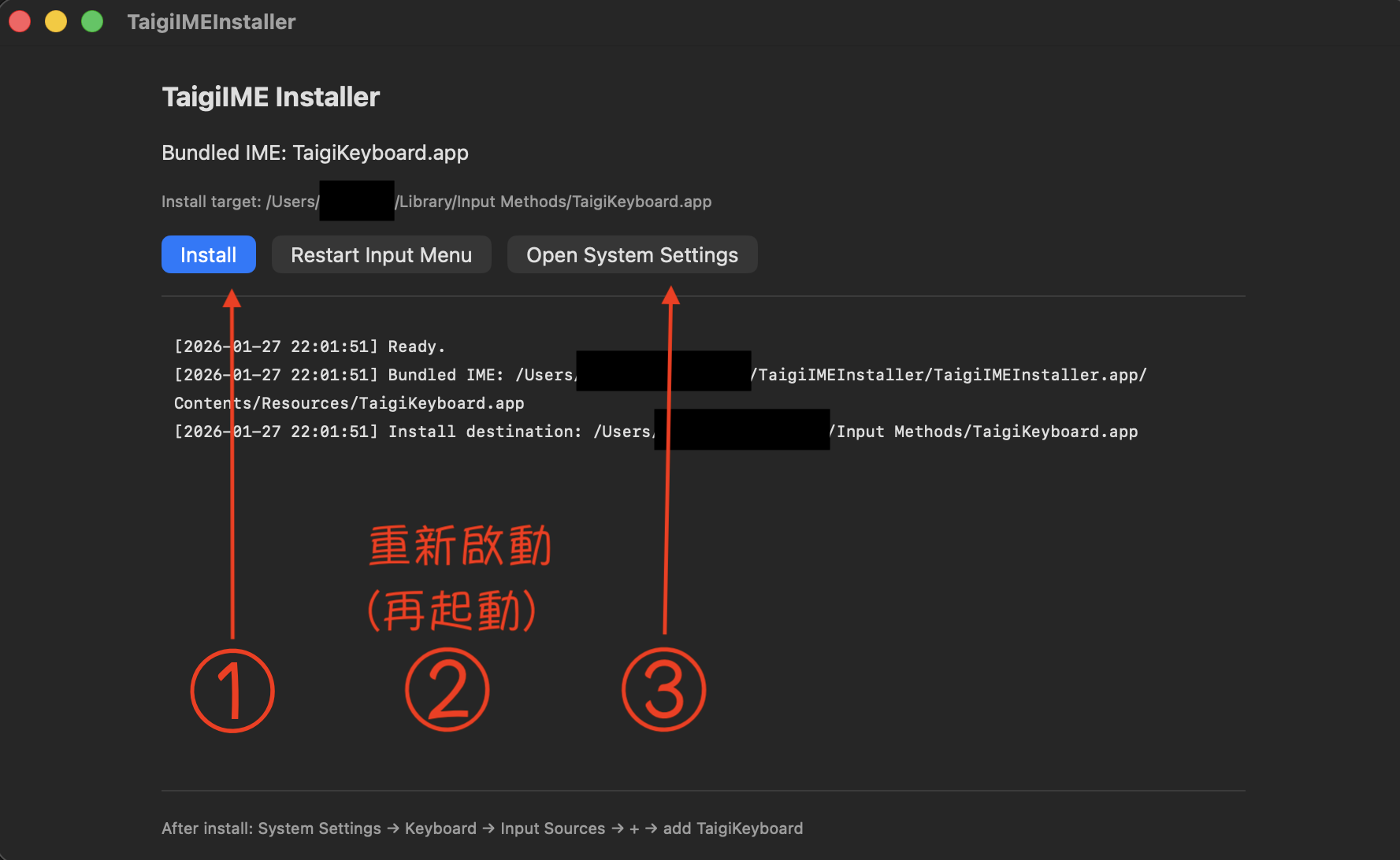
- Install:Install: Open TaigiIMEInstaller.app and click Install
- 再起動:Restart: Recommended on first install (macOS behavior)
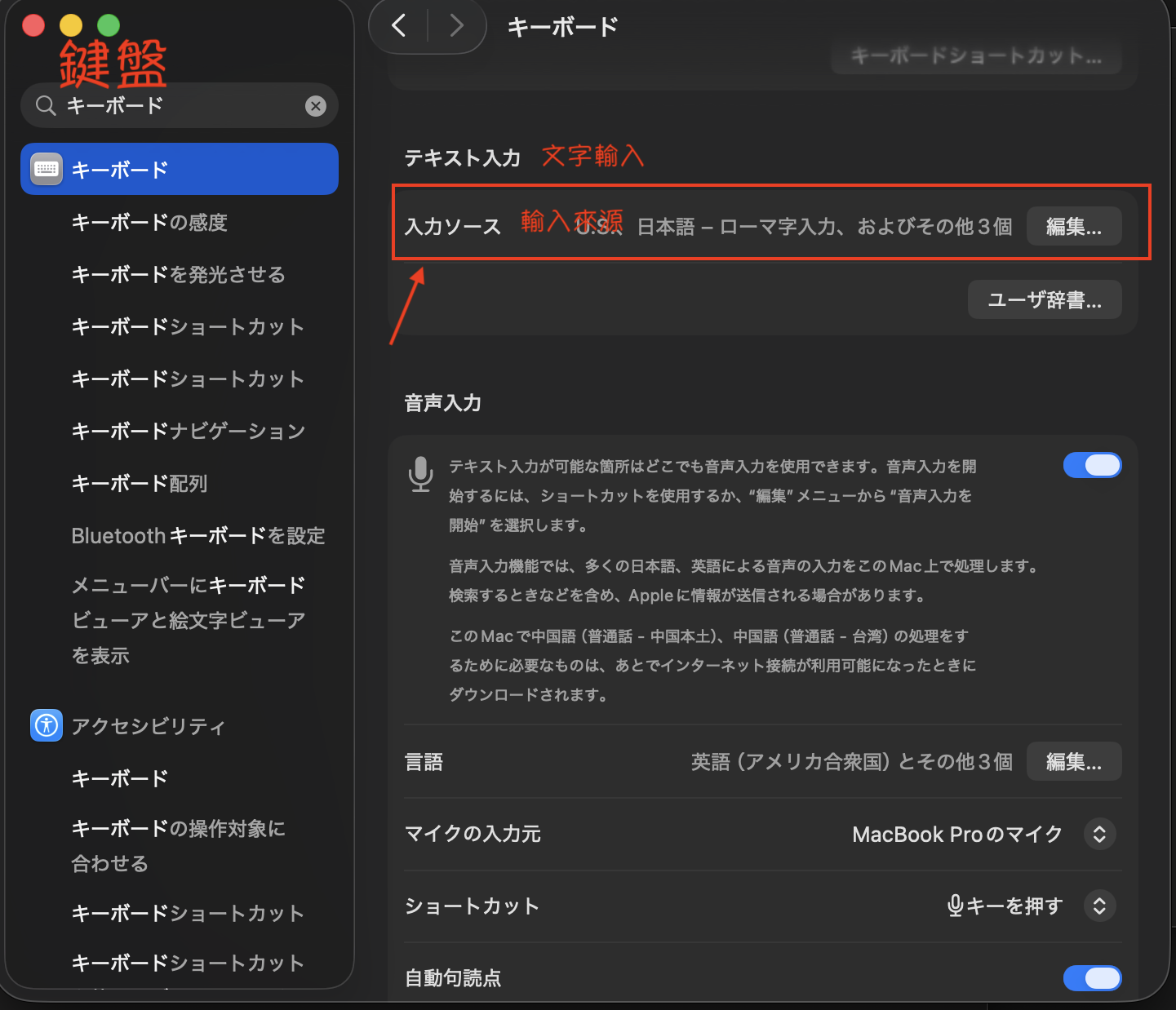
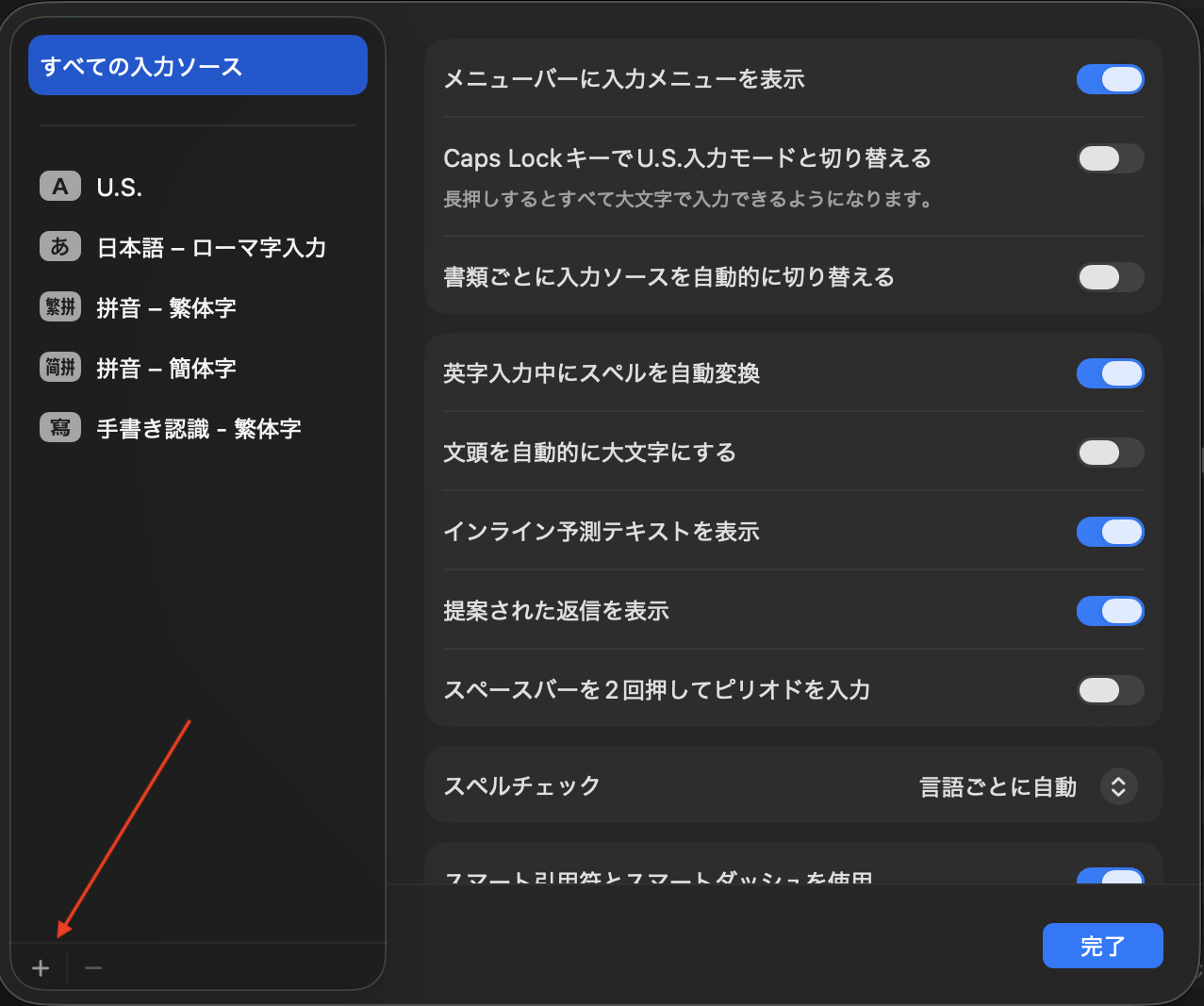
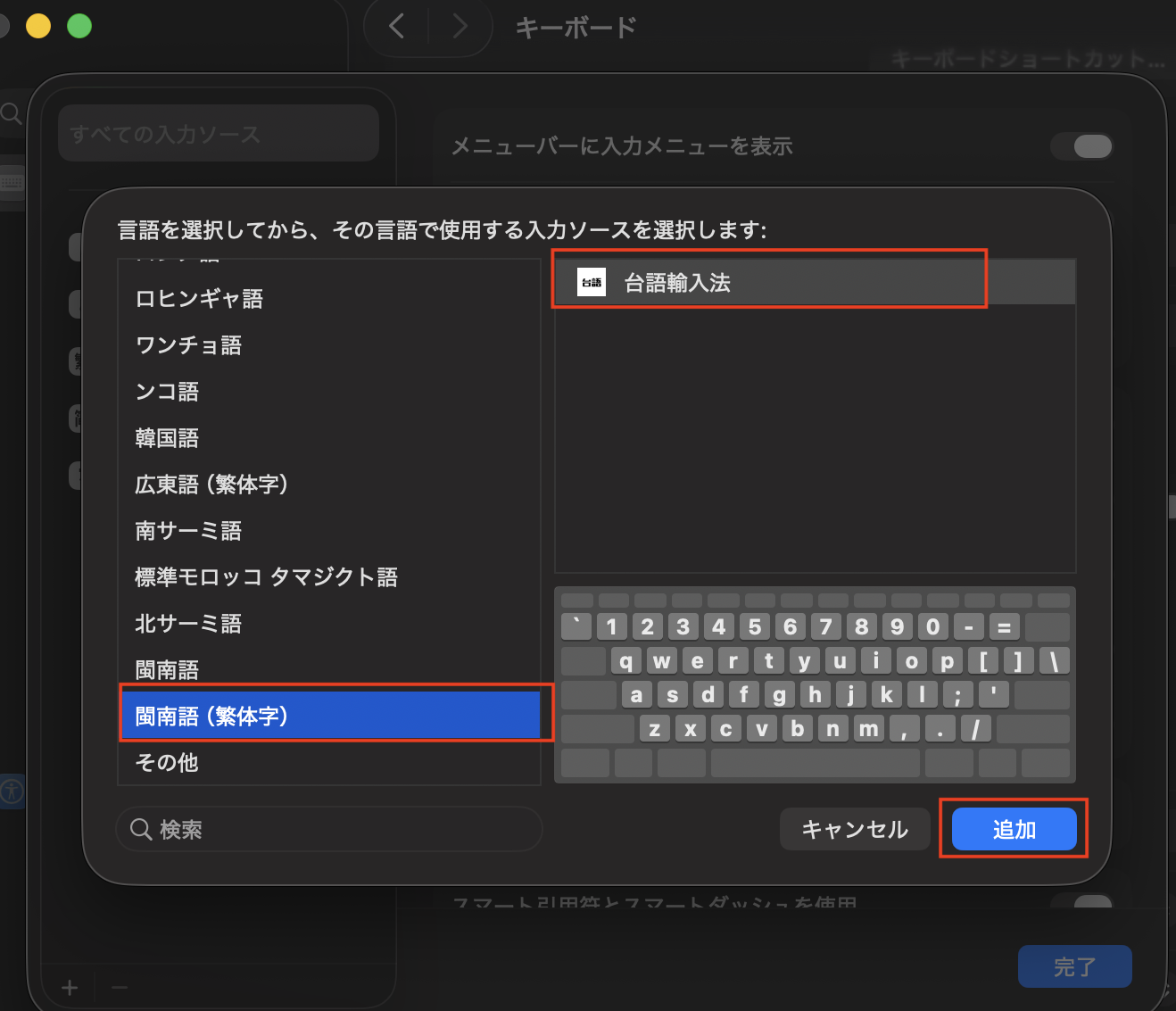
- 追加:Add: System Settings → Keyboard → Input Sources → + → “Min Nan (Traditional)” → “Taiwanese IME” → Add
On first install, it may not appear in the input source list; a restart is required.
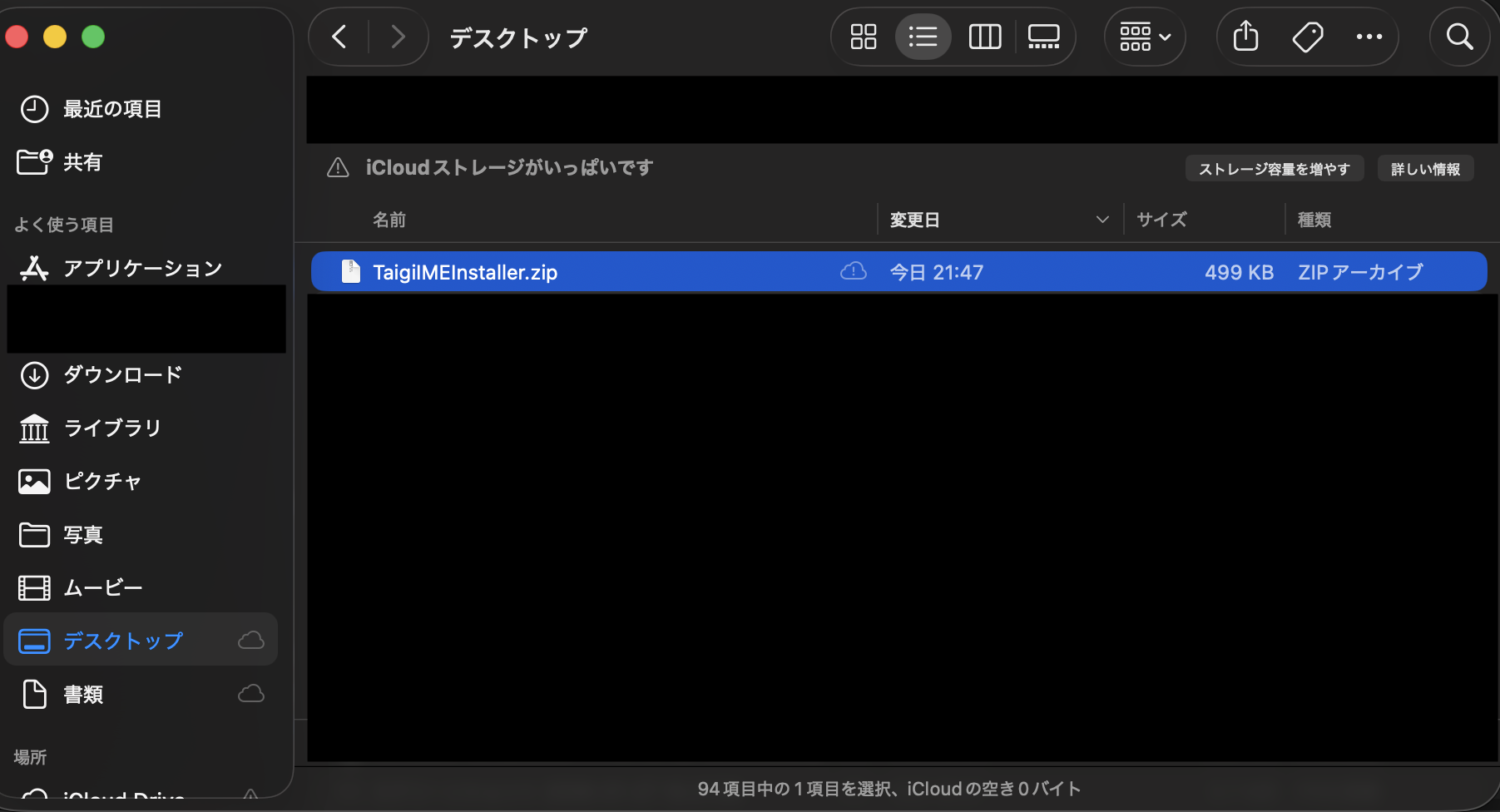
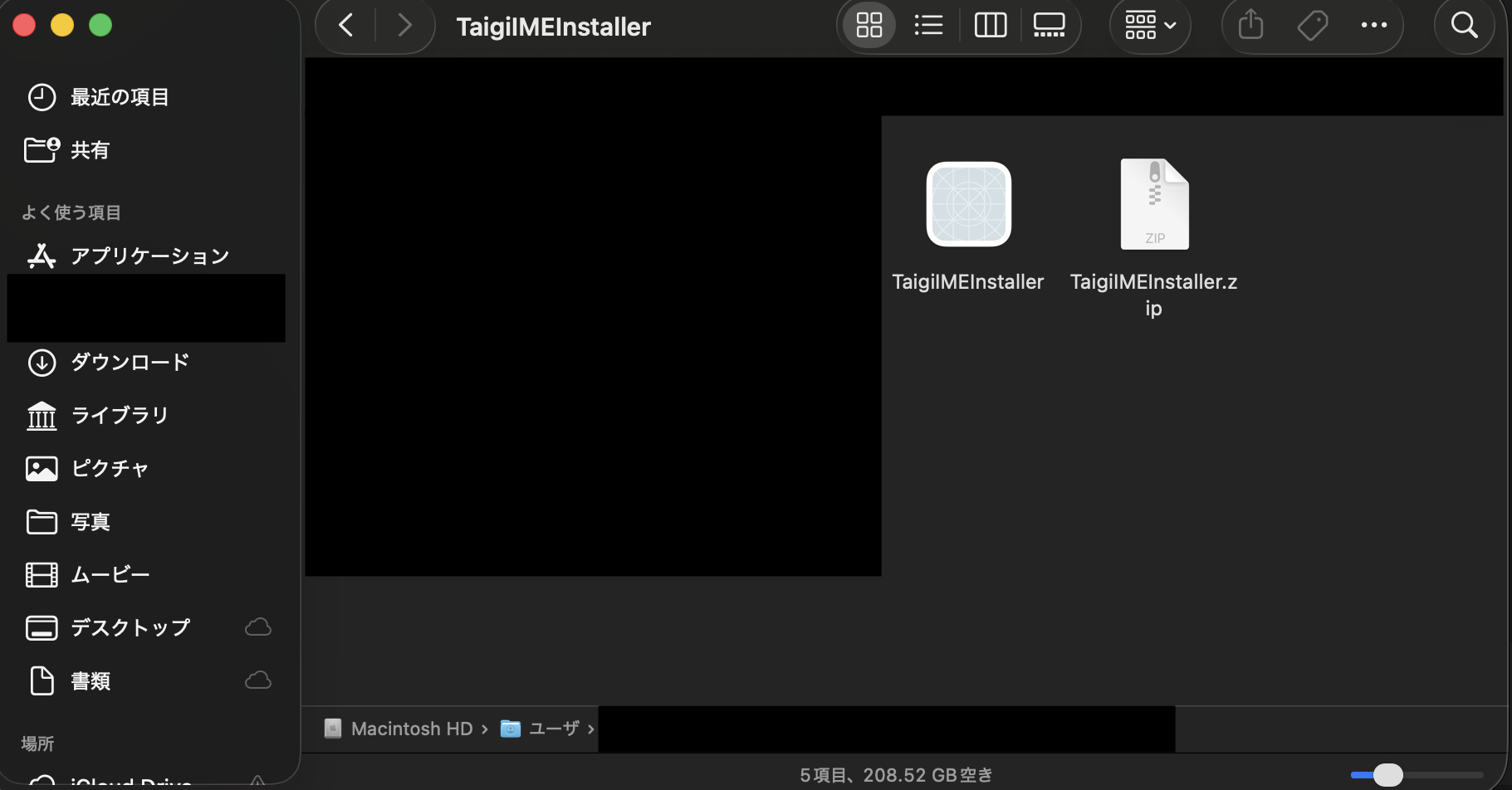
If the download is blocked, check System Settings → Privacy & Security.
iOS / Android(Mobile tools)
Use Cases
For checking, learning, and converting on the go.
Pair it with the mac IME to complete your setup.
- Dictionary lookup and conversion assistance
- Input practice
- Use across different devices
FAQ
Can I use both TL (Tailo) and POJ (Pe̍h-ōe-jī)?
Yes. The Taiwanese IME supports both TL (Tailo) and POJ (Pe̍h-ōe-jī), and is designed to show candidates despite spelling variations or ambiguous input.
How do I type Taiwanese on macOS?
After installation, add it via System Settings → Keyboard → Input Sources → + → “Min Nan (Traditional)” → “Taiwanese IME”. A restart may be required initially.
How do I select and confirm candidates?
Candidates appear as you type. Select with ↑↓ and confirm with Space/Enter.
Is the distribution safe?
The distribution is signed with Developer ID, Notarized, and stapled—macOS standard processes for safe external distribution.