TAIGIVOICE TRANSCRIBER · FOR MAC
On-premises · Offline transcription
Your words,
on your Mac.
Transcribe Taiwanese Hokkien, Japanese, Mandarin, English and more—from audio files or your microphone. Listen, edit, save and export in one app.
For Apple Silicon Macs. Interface available in Japanese, Traditional Chinese and English.
Windows support is coming. Stay tuned.
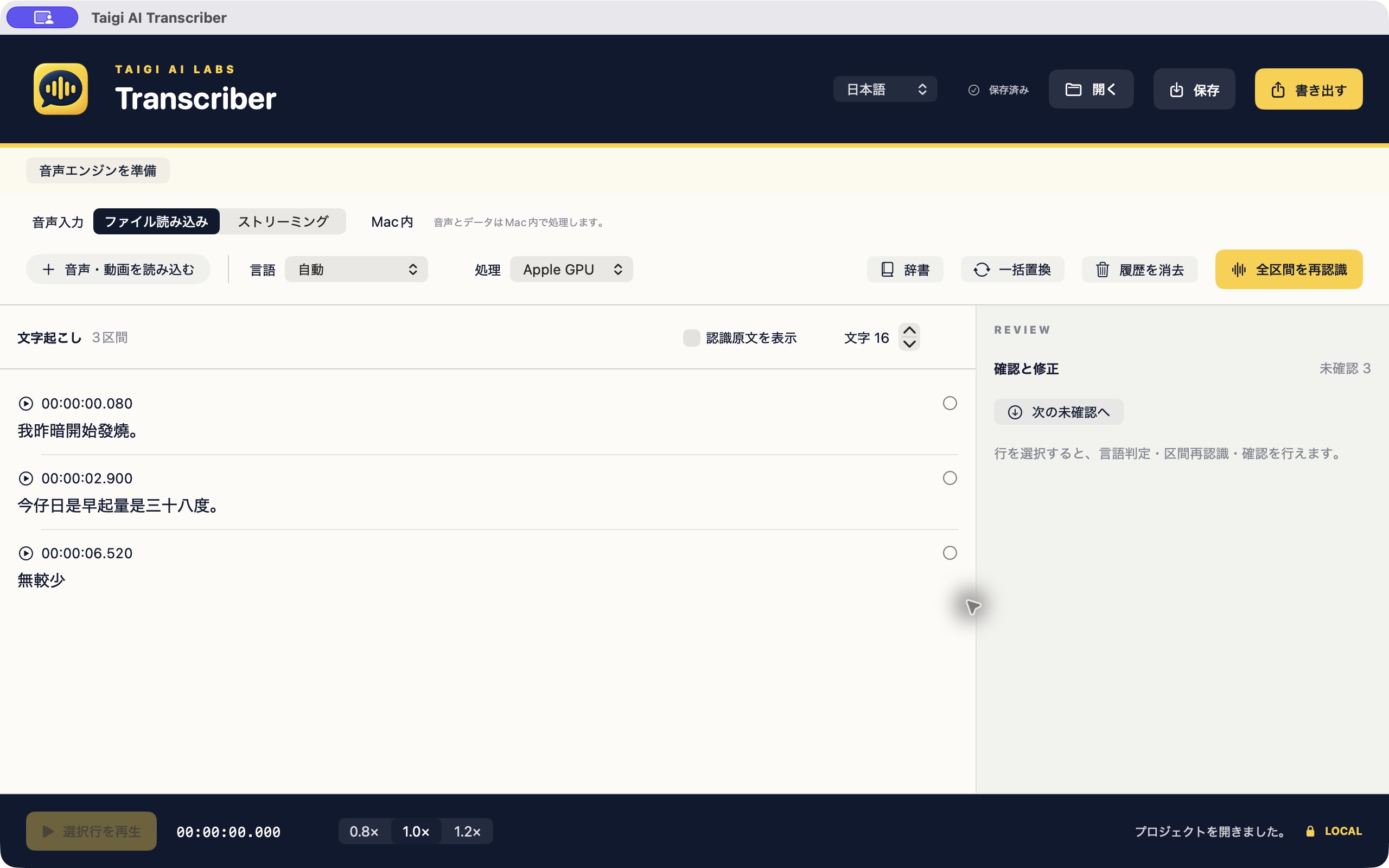
Taiwanese conversations. Everyday work.
Built with Taiwanese and multilingual speech recognition developed by Taigi AI Labs. Turn Taiwanese interviews, Japanese meetings and English recordings into text you can review and edit.
Taiwanese Hokkien
Transcribe Taiwanese recordings and microphone audio for interviews, fieldwork and lectures. Listen to the original audio while correcting the text.
Mandarin · Japanese · English
For meetings, interviews and study recordings. Import a file or use live streaming while you speak.
Korean · Vietnamese · Indonesian
Choose the recognition language from the app’s language menu to suit your recording.
Choose recognition and interface languages
Recognition supports Taiwanese Hokkien, Mandarin, Japanese, English, Korean, Vietnamese and Indonesian, with an Auto option. The interface supports Japanese, Traditional Chinese and English.
Replay specific passages, edit text, use dictionaries, replace words in bulk and mark reviewed segments—all in the same app.
Local processing or our API.
Choose on-device processing on your Mac or Taigi AI Labs’ API. Both support file imports and streaming.
Local: stays on your Mac
Transcribe offline without sending audio to a server. Local transcription is included in the one-time purchase.
API: powered by Taigi AI Labs
Audio is sent over the internet to our API for transcription. An API service agreement and API key are required. API usage is billed separately and is not included in the app purchase.
Contact us about API accessFrom files
Import audio or video and review text alongside the recording. Click a passage to play the corresponding audio.
As you speak
Transcribe microphone audio on your Mac. Review and edit the text after recording.
Edit and share
Dictionaries, bulk replacement and review tracking. Export TXT, DOCX, JSON, Markdown, CSV, SRT and VTT.
Mac direct edition · One-time purchase
Estimated local price
Base price (excluding tax)
USD 102.02
Confirm the final currency and amount at Stripe checkout.
License for one Mac. Try it free for 7 days. No automatic charge.
Purchase will be available here when sales open.
From purchase to transcription
Download the installer and install the app on your Mac.
Use the 7-day free trial to test your Mac and recordings.
Open the purchase page from the app, or enter your Mac registration code here to continue to Stripe Checkout.
Your Mac-specific license file is sent to the email address entered at checkout. If it does not arrive, contact support with your order number.
Import the license in the app to continue transcribing.
Contact support when changing Macs or requesting another copy of your license file.
System requirements
Apple Silicon Mac running macOS 14 or later. The local runtime and models are included; no separate Python installation is needed.
Processed on your Mac
Local transcription runs without sending audio to our servers. Save recordings and edits as a project and resume your work later.
Support